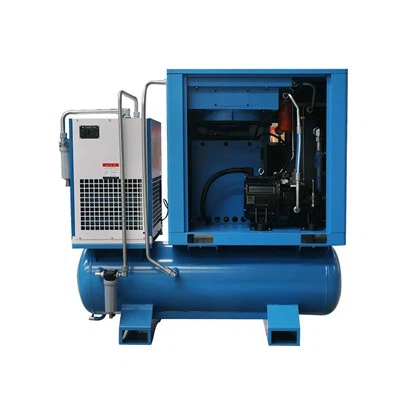
Hey there! As a supplier of Single Screw Air Compressors for Laser, I've seen my fair share of issues with these machines. Troubleshooting them can be a real pain, but don't worry - I'm here to guide you through the process.
1. Understanding the Basics
First off, let's talk about what a single - screw air compressor for laser does. These compressors are designed to provide a stable and clean source of compressed air for laser equipment. The single - screw design is known for its efficiency, low noise, and long service life. But like any machine, they can run into problems.
2. Common Issues and How to Solve Them
2.1 Low Air Pressure
One of the most common problems is low air pressure. If you notice that your laser equipment isn't getting enough air, here's what you can do:

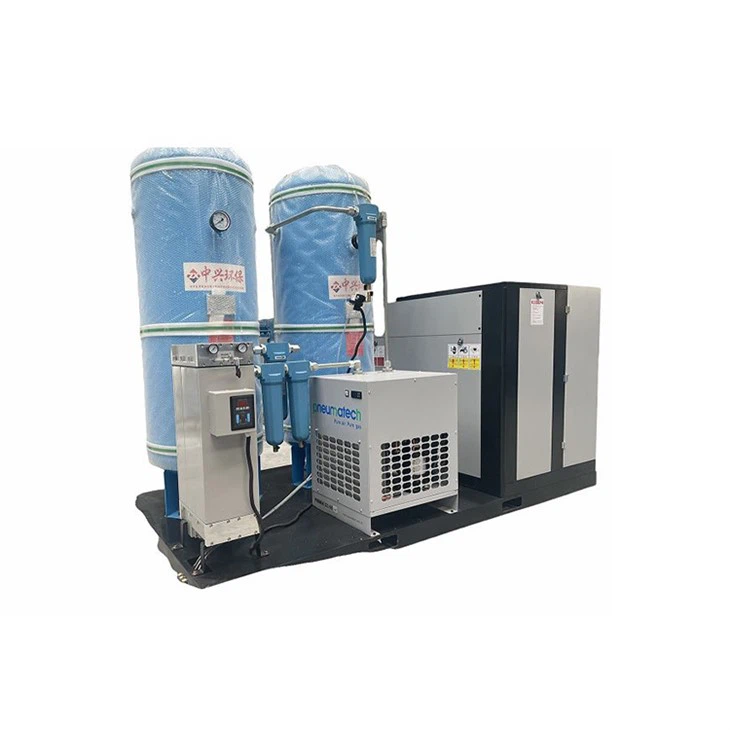
- Check the Air Filter: A clogged air filter can restrict the airflow, leading to low pressure. Remove the filter and check if it's dirty. If it is, clean or replace it. You can usually find the air filter near the intake of the compressor.
- Inspect the Pressure Relief Valve: The pressure relief valve is designed to release excess pressure. Sometimes, it can malfunction and release pressure even when it shouldn't. Check if the valve is leaking or if it's set too low. You may need to adjust it or replace it if it's faulty.
- Look for Leaks: Air leaks can also cause low pressure. Check all the hoses, fittings, and connections for any signs of leakage. You can use a soapy water solution to check for leaks. If you see bubbles forming, that's a sign of a leak. Tighten the fittings or replace the damaged hoses.
2.2 High Temperature
High temperatures can be a serious issue for single - screw air compressors. It can lead to reduced efficiency, damage to components, and even system failure.
- Check the Cooling System: The cooling system is responsible for keeping the compressor at a safe temperature. Make sure the cooling fans are working properly and that the radiator or cooler isn't blocked. Clean any debris or dust from the cooling components.
- Monitor the Oil Level: The oil in the compressor helps with lubrication and cooling. Check the oil level regularly and make sure it's within the recommended range. If the oil is dirty or low, change it as soon as possible.
- Inspect the Compressor Head: The compressor head can generate a lot of heat during operation. Check if it's overheating by feeling it (but be careful not to burn yourself). If it's extremely hot, there may be an issue with the compression process or the internal components. In this case, it's best to contact a professional technician.
2.3 Unusual Noise
Unusual noises coming from the compressor can be a sign of a problem.
- Identify the Source of the Noise: Listen carefully to where the noise is coming from. It could be the compressor head, the motor, or the belts. If it's a rattling noise, it could be loose parts. If it's a grinding noise, it could indicate worn - out bearings.
- Check the Belts: Loose or worn - out belts can cause noise. Check the tension of the belts and make sure they're in good condition. If a belt is damaged, replace it.
- Inspect the Motor: The motor is a major component of the compressor. If it's making strange noises, it could be due to a faulty bearing or an electrical issue. In this case, it's best to have a professional diagnose and repair the motor.
3. Maintenance Tips
Regular maintenance is key to preventing problems with your single - screw air compressor for laser.
- Follow the Manufacturer's Recommendations: The manufacturer provides a maintenance schedule for a reason. Follow it carefully and perform tasks like oil changes, filter replacements, and inspections at the recommended intervals.
- Keep the Compressor Clean: Regularly clean the exterior of the compressor to prevent dust and debris from entering the system. This can help extend the life of the components.
- Record Maintenance and Repair History: Keep a record of all the maintenance and repairs you've done on the compressor. This can help you track its performance over time and identify any recurring issues.
4. When to Call a Professional
Sometimes, the problems with your single - screw air compressor for laser can be too complex to solve on your own. Here are some situations where you should call a professional:
- Electrical Issues: If you suspect an electrical problem, such as a short circuit or a malfunctioning control panel, it's best to leave it to the experts. Working with electricity can be dangerous.
- Internal Component Failure: If you've determined that there's a problem with the internal components of the compressor, like the screw rotor or the bearings, a professional technician will have the tools and expertise to repair or replace them.
- Warranty Concerns: If your compressor is still under warranty, it's important to have any repairs done by an authorized technician. Otherwise, you may void the warranty.
5. Our Product Range
As a supplier, we offer a wide range of single - screw air compressors for laser. We have the High - efficiency Screw Air Compressor, which is known for its excellent performance and energy - saving features. Our Box - type Screw Air Compressor is a great option for those who need a compact and reliable compressor. And if you're looking for a more mobile solution, our Skid - mounted Screw Air Compressor for Laser is the way to go.
6. Contact Us for Purchase and Troubleshooting
If you're having trouble with your single - screw air compressor for laser or if you're interested in purchasing one of our products, don't hesitate to reach out. Our team of experts is ready to help you with any questions you may have, whether it's about troubleshooting, product features, or pricing. We'll work with you to find the best solution for your laser equipment needs.
References
- Compressor Handbook, various editions
- Manufacturer's manuals for single - screw air compressors for laser