

Hey there! As a supplier of PM Laser Cutting Air Compressors, I often get asked about how to replace the filter of these machines. It's a crucial maintenance task that can significantly impact the performance and lifespan of your compressor. So, let's dive right in and go through the process step by step.
Why Replace the Filter?
First off, you might be wondering why it's so important to replace the filter. Well, the filter in your PM Laser Cutting Air Compressor plays a vital role in keeping the compressed air clean. Over time, the filter accumulates dirt, dust, and other contaminants. If you don't replace it regularly, these contaminants can clog the filter, reducing the efficiency of the compressor. This can lead to increased energy consumption, higher operating costs, and even damage to the compressor components.
Tools You'll Need
Before you start replacing the filter, you'll need to gather a few tools. Here's a list of what you'll typically need:
- A set of wrenches (usually the size will depend on your compressor model)
- A clean cloth or rag
- A new filter (make sure it's the correct model for your PM Laser Cutting Air Compressor)
Step 1: Safety First
Safety should always be your top priority when working on any machinery. Before you start the filter replacement process, make sure to turn off the compressor and unplug it from the power source. This will prevent any accidental starts that could cause injury. Also, allow the compressor to cool down completely if it has been running recently. The components can get very hot during operation, and you don't want to burn yourself.
Step 2: Locate the Filter
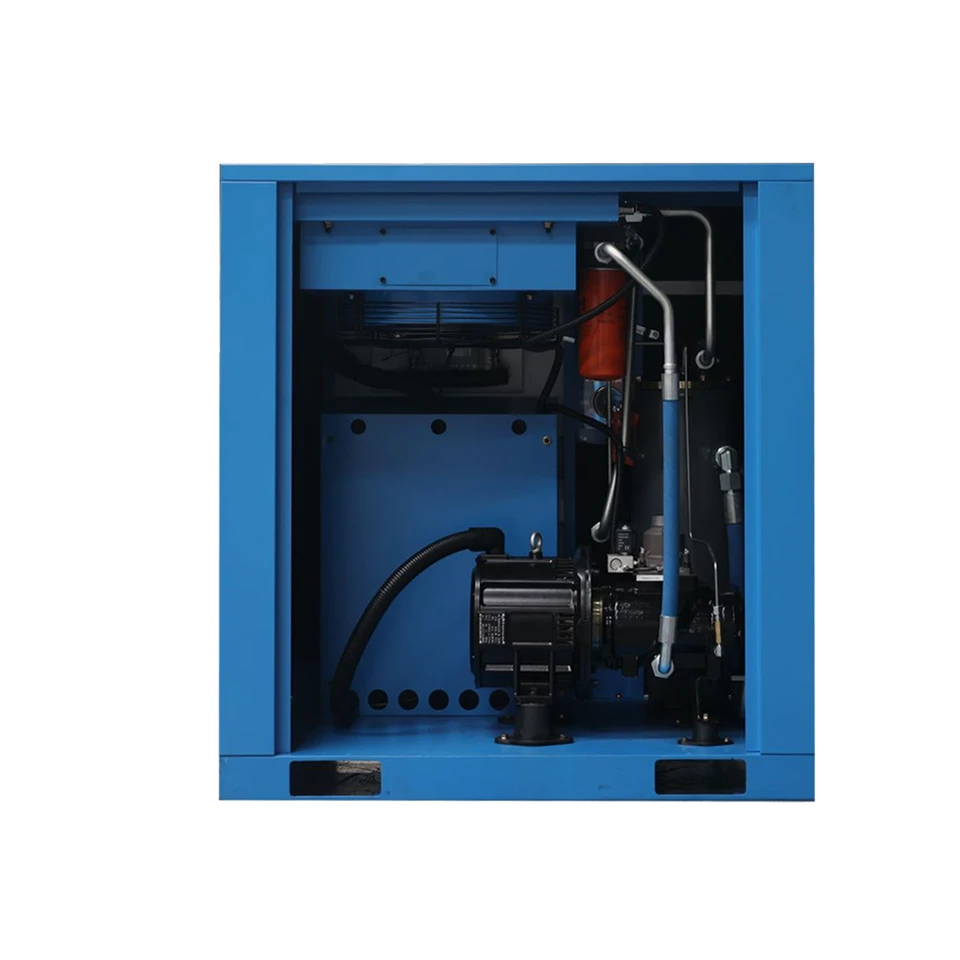
The next step is to find the filter on your PM Laser Cutting Air Compressor. In most cases, the filter is located near the air intake. It's usually a cylindrical or rectangular-shaped component covered by a housing. Refer to your compressor's user manual if you're having trouble finding it. The manual will have detailed diagrams and instructions specific to your model.
Step 3: Remove the Old Filter
Once you've located the filter, you need to remove the housing that covers it. Use your wrenches to loosen the bolts or screws holding the housing in place. Be careful not to drop any of the bolts or lose them. Once the housing is off, you can carefully take out the old filter. You'll probably notice that it's dirty and may have a lot of debris on it. This is a clear sign that it needs to be replaced.
Step 4: Clean the Filter Housing
Before you install the new filter, it's a good idea to clean the filter housing. Use a clean cloth or rag to wipe away any dirt or debris that may have accumulated inside. This will ensure that the new filter works effectively and doesn't get clogged prematurely.
Step 5: Install the New Filter
Now it's time to install the new filter. Make sure it's the correct model for your compressor. Carefully place the new filter into the housing, making sure it fits snugly. Then, put the housing back on and tighten the bolts or screws using your wrenches. Make sure they're tightened securely, but don't over-tighten them as this could damage the housing.

Step 6: Check for Leaks
After you've installed the new filter, it's important to check for any air leaks. Plug the compressor back in and turn it on. Listen for any hissing sounds, which could indicate a leak. You can also use a soapy water solution to check for leaks. Apply the solution to the connections around the filter housing, and if you see bubbles forming, there's a leak. In that case, you'll need to tighten the connections or replace any faulty gaskets.
Step 7: Regular Maintenance
Replacing the filter is just one part of the regular maintenance routine for your PM Laser Cutting Air Compressor. It's recommended to replace the filter at least once every six months, but this may vary depending on your usage. You should also regularly check other components of the compressor, such as the oil level, belts, and hoses.
Our PM Laser Cutting Air Compressors
At our company, we offer a range of high-quality PM Laser Cutting Air Compressors. Our PM Single Laser Cutting Air Compressor is a great choice for small to medium-sized laser cutting operations. It's reliable, efficient, and easy to maintain.
If you're looking for an energy-saving option, our Energy-saving laser cutting screw air compressor is a top pick. It uses advanced technology to reduce energy consumption without compromising on performance.
And for those who need a more advanced and flexible solution, our Rotary Variable Frequency Energy-saving Screw Air Compressor is the way to go. It can adjust its speed according to the demand, providing optimal performance and energy savings.
Contact Us for Purchasing
If you're interested in purchasing a PM Laser Cutting Air Compressor or have any questions about filter replacement or maintenance, don't hesitate to get in touch with us. We have a team of experts who can provide you with all the information you need and assist you in making the right choice for your business.
References
- Compressor Manufacturer's User Manual
- Industry Best Practices for Air Compressor Maintenance


